xCodez: Cheats xCodez: Cheats

Pages

Featured Featured
how-to-use-your-android-device-as
How To Use Your Android Device as Keyboard and Mouse
dent-free-data
Sharing of Apk Files on Whatsapp Made Easier
9mobile-special-offer
9mobile Special Data, Get 1GB Data for N200 and 5GB for N1000
mtn-double-data-cheat
New Method To Activate MTN 100% Double Data Bonus Via IMEI Tweaking


Showing posts with label Cheats. Show all posts

Wednesday, 28 September 2016

How To Check Some Hidden Messages On Your FaceBook Account using Web browser.

Most FaceBook users do not know they have messages right in their inbox do to many do not use the web browser when accessing FaceBook this has made many users miss most important messages from their friends and family.
Today we shall show you how to check your hidden messages on your Facebook account, and you will not miss a single message from your friends and family.
Follow the steps and use the images below:

Step 1
Login to your Facebook account click on messages.
Step 2
Scroll down and you will find the following:
More Options
View Message Requests
View Filtered Messages
View Archived Messages
View Unread Messages
View Spam Messages
Active Friends

On this options you have your hidden messages on:
View Message Requests
View Filtered Messages

Step 3,
Click on View Message Request
On this View Message Request you will find some hidden messages sent by your friends or family.

Step 4,
Click on View Filtered Messages
On this View Filtered Messages you will find some hidden messages sent by your friends or family.

It very good sometimes use your web browser when accessing your Facebook account to fully gain access to all Facebook features. 

Tuesday, 27 September 2016

Top 5 Action PPsSPp Games With Their Cheats Code.

PpssPp Games Cheat
Most people love playing game with cheats.
Now it pretty cool playing games with cheats 
Why use cheats?
Using Cheats gives you so many access. Such as having Infinite Life, Infinite Ammo and many more... Features. 
And it releases stress when playing most games that has cheats 
Now we are given you top 5 action games with their cheats. 

1, Chili-Con-Carnage
Profile Code
Create a new Profile and type the following Name...

Code              Effect

ERNESTO Invincibility

Infinite Ammo
Finish a stage while keeping your combo meter from reaching zero. You'll unlock a "chili" at the end of the stage which will get you infinite ammo on a certain weapon.
It's recommended to get Bronze medals on the stages too, which will increase your health and combo time.

Unlockable         How to Unlock
Infinite AK-47 chili on "Need a Ride" stage
Infinite Combat Shotgun (Spaz) chili on "Ay Mama" stage
Infinite Grenade Launcher chili on "Arena Del Toro" stage
Infinite Heavy Handgun (Python) chili on "Mucho Manure" stage
Infinite Heavy Machine gun chili on "Los Toros" stage
Infinite Hunting Rifle chili on "Cargo Chaos" stage
Infinite M-16 chili on "Rooftop Inferno" stage
Infinite Rifle chili on "Something Rotten" stage
Infinite Rochet Launcher chili on Final Mission stage
Infinite Shotgun chili on "Abandon Ship" stage
Infinite Submachine Gun (Uzi) chili on "Nice Wheels" stage.

2, Spider-Man-2

Go to Options, Special, and Cheats on the main menu and type in the following codes.

Password                   Effect
WARPULON            All Levels Unlocked
MYHERO            All Moves Purchased
POPPYCORN            All Movies Unlocked
BAHLOONIE Enemies have big heads and feet
NERGETS            Infinite Health
FILLMEUP             Infinite Webbing
HEAVYHEAD     Spidey has big head and feet
SPIDEYMAN              Tiny Spider-Man
SHUTT                    Unlock all production art

FRZFRAME         Unlock storyboard viewer.

3, Gun-Showdown
Select "Profile" from the main menu, then choose "Name" and enter any of the following names to active the corresponding cheat:

NOTE: You'll hear a confirmation sound each time you enter a code correctly.

Password           Effect
quivira              Accelerated firing
Soapy              All Poker missions complete
campbell Increased ammuntion capacity
barton Infinite ammunition in Story Mode
hunter Unlocks all chapters in quick play mode
nedwhite Unlocks all weapons in Story Mode (expect Final Weapon)

allies Unlocks Jenny as a Playable Character.

4, Dead-to-Right
Unlock Everything
Enter your name as DoggieStyle
[case sensitive] to unlock everything.

All cheats and skins are unlocked by playing on Supercop difficulty.

Unlockable          How to Unlock
All weapons:   Beat Villa mission
Cabal Boss Skin:   Beat Dockyards mission
Fists of Flame: Beat Old Church mission
Incredibly Fit Dog: Beat Under Rink mission
Infinite Adrenaline: Beat Back Streets mission
Infinite Ammo:     Beat Train Yards mission
Maxine Skin:  Beat The Mansion mission
No Damage:   Beat Rooftops mission

Super Deformed Mode: Beat Pink Starfish mission

5, 300-March-to-Glory
25k KLEOS
Note: This code can only be used once.

And should be entered on game play.

Code                              Effect
25,000 Kleos      Pause the game and press                          Down, Left, Down, Left, Up, Left.

Monday, 26 September 2016

Glo Unlimited Free Browsing On Tweak-Ware Vpn Mod V1.6 Working.

Glo free browsing via Tweak-Ware Mod V1.6 now working.

First sms PAYU to 127. And you will receive a reply that you are using data as PayU Go to browse. Skip this if you have previously sent the text.

Requirements:
• 1, Glo sim with 0.00 balance and no data
• 2, Strong 3G network
• 3, Android smart phone
• 4, Tweakware v1.6 Mod

APN SETTINGS:
Name: Extreme Codez
APN: glosecurehis.glo.com/portal
APN Type: Tick Default & Supl
Proxy: blank
Port: blank
Username: flat
password: flat

Download Vpn Click Link To Dwonload Tweak-Ware Mod V1.6
After Successfully downloading and installed to your device Open the Tweakware Mod tap on LOGS =>> Handler Menu. You will be asked for a Childlock code now input this code cdce.imishiro.032990
And scroll down to the end and set it as follows:

Tick Remove Port Box
Proxy type: Real host
Proxy server: redirect.glo.com
Real proxy type: Default or Inject
Real Proxy server: blank
Real Proxy port: 8080
Untick Childlock to avoid repeated, Childlock request.
Click Save.

Go back to Home select region. United States
Click Connect.

Now wait for it to connect

Open any of your browser and start browsing.

Enjoy. 

Sunday, 25 September 2016

Fix Errors On NBA 2K17 For Smooth Play No Crashing NBA Resolution.

NBA 2K, Already legendary in some circles of people playing basketball series NBA 2K by Visual Concepts received another already the 18th game in a row  NBA 2K17. The history of the franchise begins in quite far 1999. Though it’s been so long, but the product still gives hundreds of hours of fun to fans of the simulator worldwide. All anything, but in today’s realities release of any game is always accompanied by a variety of problems: bugs, errors and departures.

How to fix error 96064c5a in NBA 2K17?
Error 96064c5a does not make a face scanning, go to the multiplayer mode, go to MyPark or even shop. A very small number of users of the game encountered this error. However, one gamer shared a few possible solutions:

• 1, You need to free up more space on your hard drive. It is not known how it is connected, but it has helped for some people.

• 2, Fully view designers logo. Everytime. Suffice it difficult task, because they are long enough.

• 3, Whatever it was, all these methods are only a temporary solution. It remains to wait for the official patch.
Message A problem has been encountered in NBA 2K17
Message A problem has been encountered that prevents gameplay from continuing. This game will not be counted may appear on your screen while playing online. One player in NBA 2K17 called tech support and they suggested him to resolve the problem. This problem is solved by changing some settings on your WiFi-router. So this method is only suitable for owners of the add devices. Take the following steps:

• 1, Go to the settings of your WiFi-router.

• 2, Next, go to advanced settings and look for the UPnP setting.

• 3, Turn off the UPnP option.
After these steps, you should be able to properly play the online modes.
Bug with a message on a mobile phone in NBA 2K17
In the game you can get a different messages to the mobile phone. Because of a bug in the game, you can not flip through them below. Some users have found a solution for this problem. You need to do the following:

• 1, The first thing you should do is to put in the game frame rate to 60 fps.

• 2, Then turn off the vertical synchronization.
Crashes during cut scenes in MyCareer in NBA 2K17?
At the moment, the problem is considered by tech support. Some users have shared it possible interim solutions. If you own a Nvidia GTX series graphics card, then try to reduce the quality of anti-aliasing in the game to 1 or turn it off entirely. This should at least reduce the frequency of flights.
NBA 2K17 was released but already had collected many different errors and issues aroung the web. In this article we provide all possible solutions and fixes to all errors and problems known in NBA 2K17. Here we are going to consider NBA 2K17 crashes, NBA 2K17 Invisible Players issue, NBA 2K17 Error Codes, NBA 2K17 FPS Issues and other.

NBA 2K17 Crashes solution
NBA 2K17 Invisible Players issue solution
NBA 2K17 Error Code 4b538e50 & NBA 2K17 Error Code efeab30c solution.

• 1, Open main menu and go to Options/Features

• 2, Start watching Credits and wait till the end

• 3, After that, 2K application will update to the latest version and errors will gone away
NBA 2K17 FPS Issues solution.

=>> 1, Be sure to meet the minimum system requirements.
=>> 2, Update your GPU driver.

=>> 3, Close all the background applications before launching the game.
NBA 2K17 Pre-Order Bonuses Not Working solution.

• 1, Open MyTeam area
• 2, Don’t do anything for a couple minutes
• 3, Close the game
• 4, Restart Steam
• 5, Launch NBA 2K17

And play smoothly. 

Wednesday, 21 September 2016

Latest Free MTN Unlimited Browsing With Your-Frredom Vpn For PC.

Now yr-fr-vpn working on PC with Mtn hope you do remember that your freedom vpn was one of the very first vpn that was able to unlock most network providers
 Now this a new trick for Pc and what you have to do is follow the steps that we shall be given to you.

For you to be able to enjoy this mtn tweak via your freedom vpn you need the following:
• Goog network connectivity.
• Windows Pc.
• yr-Freedom.exe Apk.
• Modem.
• Mtn Sim Card.
• yr-fr account.
Now install your freedom vpn
If you already have an account use it if you don't have just create an account with them it only takes few minutes.

How to set up yr-fr-vpn
With the new mtn free net access
• open your freedom apk click on the configure.

• on your freedom server address Tab enter the following  XML server name = ems37.your-freedom.de
Port: 53

• Connection mode drop down=DNS=> select TWEAK NIGERIA MTN
• FOR option tick 1.3.7.6

Now just leave the others.
And input your username and password of your-freedom.

Now connect your modem with the default mtn settings.
Now go back to your freedom home screen and Connect.

Note for this to work with your you have to set up your browser proxy with this
Proxy server: 127.0.0.1
Port: 8080
Enjoy. 

Thursday, 15 September 2016

Http injector Free Unlimited Browsing For TELENOR Pakistan Net Suffering

Telenor seems to be trending these days with their everyday free internet loophole. Ok lets get to the point. This free internet trick is for the Telenor Pakistani users and it works on on both http injector, psiphon vpn and other vpn apps. If you could remember last month i made a free internet trick post on Telenor which was also unlimited like this one which we posted Click Here To Visit Post . This trick settings are similar to that one but this tricks settings are better because it doesn't disconnect.

This trick works on Android, Pc, Iphone, java and Symbian. Those that dont have http injector or psiphon on their OS can go gor open vpn or any handler app to also enjoy the trick. Follow the procedures below to enjoy this trick.

1. A Telenor Simcard 2. Any of the tunelling app

2. Go to your Access point and set it this way: Name: Techmilitant ip: 172.18.19.11 port: 8080 and then save

3. Download http injector

4. Now go to tcpvpn.com  and create a username and password and then follow the video below to configure and enjoy free unlimited internet.


This trick will help you very well to enjoy the coming back of Telenor.

Share this by using any of the social media's

If you have any difficulties do as well to comment below. 

Browse Unlimitedly On Telenor (Back and Better)

Telenor free internet is back for real and this time its blazing real hot. This free internet involves a little settings on our Phones access point which is as easy as abc. Those on Pc, android, Java, Symbian etc can enjoy this trick so kindly follow the below settings and enjoy

Requirements
1. A Telenor simcard without mb or call credit
2. Any configurable device with internet access
3. Any handler (not necessarily needed)

How to get the free internet:
1. Go to your access point settings and configure it this way:
  Apn: TechMilitant
Proxy: 172.18.19.11
Port: 8080
Now save
2. Now go to your browser and input any website and browse and download for free!

Troubleshooting:
Some people were still complaining so i brought up a trick to stabilize the connection.
PC: Go to your web browser and type this address M.whatsapp.com.german-proxy.de and opens the address opens up, type any address in the tab below and browse and download for free!

Mobile users: Open your vpn Tunneler app and make this M.whatsapp.com.german-proxy.de
your proxy server ans the save. Once you are done saving, connect and enjoy free unlimited internet!

Enable Private Browsing On Any Browser

Surfing the net (internet) can be a lot of fun if you really know what you are doing. If you just keep surfing different webpages without knowing what those pages does with the infornation you give them might be very dangerous. In order to prevent this i.e preventing websites from saving your cookies, history and information while surfing through their web pages, enabling Private browsing is your best bet.
Most people don't really know how to enable private browsing when surfing the web, but today am going to show you how to enable private browsing when you are browsibg through websites.
HOW TO ENABLE PRIVATE BROWSING ON BROWSERs.
If you are using google chrome and want to
activate private browsing then click on "MENU" at the right upper corner and click on "New Incognito window" or you just need google chrome shortcut key so press Ctrl +Shift + N So a new incognito(private) window
will pop-up so enjoy private browsing on google
chrome browser.
To Activate Private browsing on Mozilla Firefox Browser
When browsing with Firefox and you decide to active private browsing, then do the following
Click on firefox menu at the left upper corner and click on start private browsing or you can use firefox shortcut key so press Ctrl + Shift + P.
To Activate Private Browsing on Opera Browser
Click on 'Menu' present at the left upper corner and then select 'New private tab' for only one private tab in current window or Select 'New private window' for new private window from " Tabs and windows" or
just use opera shortcut key i.e press Ctrl +Shift + N. So you will see a new private Window.
With these tips, you will surf the web safely and securely.

Tuesday, 13 September 2016

Full Tutorial On How To Change Your Android Imei Number to Any other Imei number Of Your Choice

Some Android users wants to use the blackberry subscription on their Smartphones because of the reduced charges attracted to it, So today this will show you on how to you are going to use such subscriptions on Android devices by changing the IMEI numbers of your Android Smart device to that of a blackberry.

Warning: Changing of IMEI is illegal in some countries, and we'll not be held responsible for any consequences that may befall the changer

When it comes to changing your android IMEI number to Blackberry IMEI number, there are lots of methods which can be used to do it which can be on PC or just on your Android device. So if one method doesn't work for you, you can easily try another one.

Note: you do not need a Pc to Change your Imei number.

How To Generate BlackBerry IMEI with a PC

Firstly, download BlackBerry IMEI generator RAR file from HERE to your PC, unZip it and copy three .sys file to a new folder on your desktop, double click on the GIPv4.1 exec file and choose the Generate button. Copy or better still write down the generated BlackBerry IMEI number for latter use.

How To Generate BlackBerry IMEI without a PC

If you don’t have a PC or finding it difficult to generate BlackBerry IMEI on PC, here is another way to do it without any stress at all.Only download and install the BlackBerry IMEI Gen apk file HERE, go to your app menu and look for the just install app and click on it to launch.

This is how to change IMEI number on a single-SIM enabled Android phones using Terminal Emulator

1. Download and install Terminal Emulator to your Android phone, you can download it from HERE

2. Open it, type SU and press enter key to gain Superuser access (if you have rooted Your phone)

3. Then type this command and press enter key : echo AT +EGMR=1,7,”IMEI_NUMBER”>/dev/pttycmd1 or echo AT +EGMR=1*7*IMEI_1>/dev/pttycmd1

For Dual-SIM Android phones type this command: echo AT +EGMR=1,10, “IMEI_NUMBER”>/dev/pttycmd1

Replace the IMEI_NUMBER with the BlackBerry IMEI number you have just and reboot your phone

Pls Note: make sure you put a space between “AT” and “+” in the command, the procedures listed above works best on MTK (MediaTek) powered Android devices
Method 2: How To Change Android IMEI Number To Blackberry IMEI

This method has been tested and proved to work on MTK Android Phones, or MTK chipset powered Android phones, e.g., Tecno Android phones, Innjoo phones, earlier Infinix phones and more but will not work for non-MTK Android devices like Samsung, Nokia, and some Infinix phones. Be sure you are using an MTK device, you can be sure by using a benchmark app.

Steps On How To Change Android IMEI Number To BlackBerry IMEI Without PC
Firstly, You should copy out the IMEI numbers and save it somewhere safe, in case you want to change the IMEI number of your phone back to the future

1. Dial *#7465625# or *#*#3646633#*#* to bring out a secret menu. Depending on which device you use

2. Tap on Call Pad or Connectivity Options.

3. In Options Section, Tap On CDS information.

4. Tap on Radio Information. If your phone is a dual sim, two options will be shown which are Phone 1 and Phone2. If you want to change SIM 1 IMEI, choose Phone 1 and if you want to change the SIM 2 IMEI choose phone 2.

5. You’d be shown a screen with AT+ at the top. Type E and some pop-up options will be displayed. If you intend changing the SIM 1 IMEI, select “1,7,” but if you intend changing SIM 2 IMEI, select “1,10,“

6. Now look close in-between the inverted columns(“”). Type in your new blackberry IMEI in-between the columns and insert a space between AT, +. Thereby, you’d get something like AT +EGMR=1,7,”(New IMEI Number)”

7. After properly inserting that, Tap on Send AT Command and you should get a successful command sent or At command sent (Depending on the Android phone you use).

8. Now, navigate back to your phone screen. Turn On Airplane mode and switch off the phone.

9. Turn the phone back on, turn off Airplane Mode and check your phone IMEI using *#06# and you’d realize one of the IMEI has been changed to the prescribed IMEI you inserted.

How To Change Android IMEI Number Using Mobile Uncle Tools
 
Step 1

Go to Engineer mode in mobile Uncle tool.

Step 2

Go to CDS information

Step 3

Select the phone 2 if you want to change sim2’s imei number

Select sim 1 or sim 2
Here you can see a command line with “AT+……..”.
Now just add this command to it AT+EGMR=1,10,”then 15 digit of YOUR NEW IMEI NO”
And press “send at command”button.

if you want to change the the phone 1 IMEI just use this option

AT+EGMR=1,7,”NEW IMEI NO”

Now that's it we are done… now you can restart the phone and enjoy your new IMEI number.

Steps on how to transfer credit airtime on Etisalat Network Nigeria

Yes may have been trying to transfer airtime from one line to another line and it seems difficult, don’t be frustrated, here this post will show you how to do that.

Sometimes you may have two phones and you want to transfer airtime/credit from one phone to another phone but you are wondering how you can do it, there is nothing to be worried about, only what you have to do is to follow these below guides and make your airtime transfer successful.

HOW TO TRANSFER AIRTIME CREIDT ON ETISALAT NETWORK

You have to activate the service by setting up your transfer pin. You can skip this step if you already done that. The default pin / password is 0000.
How to change Airtime Transfer Pin on Etisalat : To change your airtime transfer pin on etisalat, Dial: *247*0000*New Pin#

For example to change your pin to 1122 dial *247*0000*1122#

How to Transfer Airtime on Etisalat Network: After setting up your pin, you can transfer or send airtime on Etisalt by dialing*223*Password*Amount*Phone Number#
For example to transfer N200 to subscriber 08091234567, dial*223*1122*200*08091234567#
Well, if you are not interested in that, You can also transfer airtime on Etisalat line through the Etisalat service menu.
• Click on the Etisalat service icon on your phone,
• Click on Balance transfer,
• A security code box will appear requesting for your pin.
• Enter the amount you wish to transfer
• Enter receipient’s number and send
Now this should help you out.

Monday, 12 September 2016

Glo latest unlimited free net For Nigeria.

Here comes unlimited free browsing tweak using Glo. This doesn't require any VPN except for the modded version of UC mini. So those who have been facing speed throttling on psiphon handler then this might help.


Note: that this method will only power browsing and downloading on the UC mini app only. If you want to power other apps then you either go for the Psiphon or Tweakware Few Things You Should Know.

• This tweak doesn't power all apps.

• It browses and download only with the UC mini handler.

•There is no speed throttling. It's completely free.

• It's unlimited. How To Configure The Glo Unlimited Free Browsing

• Download and install UC Mini Handler Click here

• Launch the UC handler and configure it as shown below:

» Proxy Type: Real Host

» Proxy Server: redirect.glo.com

» Real Proxy Type: Default or HTTP

» Real Proxy Port: 80

• Click on save and start flexing the unlimited browsing.

How To Download Large Files With This Glo Tweak
Just like the Airtel 20gb tweak, you might alse some difficulty downloading large files using this tweak. But not to worry, just follow the procedure below and you should be fine.

• On your UC mini handler, open this Link 

• Add the download link to the provided box.

• Click on go and start your download.
Note: muchproxy will automatically rename any file you want to download to .phone extension. So all you have to do is to rename it back to the normal extension once your download pops up. E.g to either .mp4, .mp3, .jpg, .exe, etc.

Enjoy. 

Saturday, 10 September 2016

Cool AIRTEL 100GB Trick For Nigeria With CRYPTON VPN and PSIPHON A+

Today we post this Airtel 100gb free internet trick from Airte Nigeria Sim.

Airtel announced a subscription which are: 100gb for 300, 20gb for 200 and 10gb for 100. These sub is actually meant to power your whtsapp, facebook, twitter Opera-mini and some other social apps. The sub only works on these socail. Now our aim is to make the subscription power the apps on our phone. Now follow these insctructions.

1. First load your Airtel Simcard
2. Then Dial *688# and select the package that you want. You can check your balance with *140#
3. Now download Either Crypton Vpn, Psiphon A+ etc they are so many vpn offering the same features with that i mentioned.
4. Use Airtel default configuration and then install your Tunneling app this way:

Remove Port: Tick
Proxy type: Real host
Proxy Server: nokia-s40-cust.opera-mini.net or any of the Facebook or working opera mini Proxy Servers
Real Proxy Port: Http or Default
Make your real port whatever you like and then click on Save.
Now ensure that you disable your more options settings.

Enjoy.

Friday, 9 September 2016

HoW To Send Apps, Games, or File Via WhatsApp.

Step 1
go to your *File Manager* From there, go through your *File Manager*(Folders) & select any File (app, game, or anything) that you want to send via *WhatsApp* & then convert it.
Now to conver it, you must select & rename that *File* (app or game) & make it a *.txt* (text) File...... Meaning the *File* (app or game) you rename must end with🏾
*.txt*
At the end of it's name. For example 🏾
*Facebook.apk*
To
*Facebook.txt*

You see ?... Okey now after you have successfully renamed the *File* (app or game) into a *.txt*(text) File,

Step 2
go back and log in to your WhatsApp. Share that *File* *(app or game) with your friends or anyone who's on WhatsApp via *document*. Meaning send it as a *document*......
How To Locate & Install The File They Sent To You*

Step 3
now, To find & install the File (app or game) they have sent to you, first go back to your *File Manager* & then go to
WhatsApp/Media/WhatsApp Document/
Now to install or run that *File* *(app or game) they have sent to you, you must first rename that *File* (app or game) into it's original name and form.....
It could be an Android *File* (app or game) which needs to be renamed back to
*apk*
At the end of its name in order for you to install it or run it. For example 🏾
*Facebook.txt*
TO
*Facebook.apk*
& also, The *File* could be a *psp game* file, which needs to be renamed to
*cso*
or
*iso*
At the end of its name in order for you to install it or run it. For example
*GTA San Andreas.txt*
TO
*GTA San Andreas.sco*
If you are struggling with renaming any *File* (app or game) then download another *File Manager* app called
*ES File Explore*
Its better than all these other *File Managers*.
........That's all.

By doing each an every steps from above you should be able to send any *File*(App or Game) via WhatsApp.....

Thursday, 8 September 2016

How To Use Multiple Applications In a single Android Device With PARALLEL SPACE APK.

 Parallel Space application allows you to use multiple application in one Android smart phone device this application is pretty cool.
No all you have to do is download parallel app from Google play store and install to your device.
Use our below steps.


Step 1
After installing parallel Space
Open application and click on the down side left tag icon you can use the below pictures.

 Step 2
After clicking on the down left side tag it will pop up your already installed applications on your device,  now you can select any of your preferred application
Step 3
After selection of the application you wish to run. It will be added in parallel home menu now click on the application to open

Now you can as well run same application on your android device.

To delete application from parallel right click and hold the application you want to delete and delete icon will pop up drag and drop it to the delete icon that's all
Enjoy. 

Wednesday, 7 September 2016

How To Check Your Bank BVN On Phone Anywhere At Anytime

I believe you all know what bank verification number BVN is all about as its no longer a new thing. However, for those of you who may not know, or still require little info about what it is all about,.

Bank Verification Number otherwise known as BVN is an initiative of the Central Bank Of Nigeria (CBN) to ensure transparency, security and easy assessment of data, fund in accordance with best practices in developed countries. For more on bvn go here.

Normally, this number is 11 digit in number which can be tough to memorize and recall off head as the numbers are usually so roughly arranged making it hard to remember compared to phone numbers. So in this post, you will get to learn the easiest way to check your BVN on your mobile phone when ever it is required of you.

How To Check Your BVN On Phone!

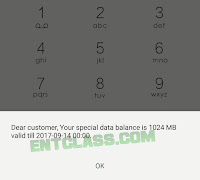
Apart from checking your bvn online using your banks internet banking facilities, you can also check your Bank Verification Number on your mobile phone. Which happen to be the easiest way to do so. So to do so, simply dial this USSD code *565*0# from that particular line you used for registration for that bank account.

After loading, the eleven digit number will be visible on your screen as seen in the below image. This method works on all network (MTN, Airtel, Glo and Etisalat) and for all Nigerian banks (zenith, access, ecobank, diamond, firstbank, gtb, etc). But mind you, the code might require you to have a minimum of N10 on your line especially glo and etisalat. So if it doesn't work, check your airtime balance.

Why You Should Consider Using This Option?
==>1. Saving your BVN in your phone's contact list might not be the wisest thing to do.
==>2. Its very easy as it only requires you dialing a code on your phone and the number will pop out
==>3. As long as you are with your phone, your BVN will easily be accessible to you
==>4. It does not require internet connection. Neither does it require you calling any customer care line to request for it.
==>5. Checking of BVN using this method is actually possible on just any phone be it Android, Windows phone, iPhone, blackberry and even nokia touch light.

With that said, it is advisable for you to do your bvn once you create your account to avoid going back for that on a later date.

Tuesday, 6 September 2016

Airtel Introduces 20GB For N200 And 100GB For N300 Social Data Bundle Plan

Airtel has again come with another new monthly social bundle data plans that offer airtel subscribers whopping 20GB of data for N200 and 100GB for N300.
Airtel these days have ways of trapping their subscribers with some seemingly juicy data plans that either restricts you to use 2G network only, like their 2GB for N200 and 6GB for N500 2G network plans or with this latest introductions that offer heavy data for only social apps.
With the latest 20GB and 100GB social data offer, subscribers are confined to be able to use only Opera Mini, Facebook and Whatsapp.
But unlike the 2G network data plans that we mentioned above, the new 20GB and 100GB data plans can be used on both 2G and 3G networks
How do I subscribe to the new 20GB for N200 and 100GB for N300 social data plans?
To subscribe for the 20GB for N200 data plan simply recharge your airtel line with N200, then dial the subscription code *688# then reply with 2 to get  20GB
To subscribe for the 100GB for N300 data plan, recharge your airtel line with N300, then dial the subscription code *688# and reply with 1 to get 100GB
After subscription, to check for data bundle balance at any time dial *140#
As we have stated above, this new aritel data bundle plans are for Opera Mini, Facebook and Whatsapp and will not work with other browsers or app.
Our question now is this; what is Airtel truly up to by introducing such data bundle of such data sizes and restricted it only to few apps?
Could this be another ploy to use in trapping their subscribers?
Or what is your general take on this newly introduced data plans by airtel?
Like that of the N200 for 6GB which was introduce by Airtel holders earlier this year

   Find Us On

facebook-NaiemBD.png twitter-NaiemBD.png google-plus-NaiemBD.png linkedin-NaiemBD.pngyoutube.jpeg

Saturday, 3 September 2016

REX acquires major stake at Yota Devices, plans to transform company

Yota Devices is a Russian based organization that specializes in the making of smartphones for the market. Many of you might not have heard of this company. This may be largely due to the fact that as newcomers, they do not have a wide variety of products for users to litter the city with and also, a lot of glitches in the manufacturing process is kicking down their customer receipt a notch. All these flaws are soon to change though as the company has just been bought out in a $100 million deal, the buyer being REX Global.
Having already released the YotaPhone and YotaPhone 2, these devices can’t really be claimed to be huge success on the part of the manufacturers as just after a delay in production (which spanned like one year between announcement and actual release for both devices), it failed to launch in some important markets such as the US (although it held a launch campaign there which was successful)
The new acquisition by REX Global which now sees it have 65% stake in the company is poised to turn the company’s head around, planning to invest about $50 million into it and also, making its next set of smartphones in conjunction with ZTE. We should be expecting the YotaPhone 3 with a new face in 2016 then.


   Find Us On

facebook-NaiemBD.png twitter-NaiemBD.png google-plus-NaiemBD.png linkedin-NaiemBD.pngyoutube.jpeg